
TradingView Review (Canada, 2026): What It Does Well, and What a Passive ETF Investor Can Skip
The last time I actually needed a live chart, it was to buy a short-term bond ETF that barely traded, only a few hundred shares changing hands on a slow day. So I sat and watched the quote for a while before doing anything. The spread, which is the gap between what buyers are offering and what sellers are asking, sat at roughly $48.62 to $48.65, tight enough that I bought a small test lot first and used limit orders only, meaning orders that fill at the price you set or better and never worse. Those figures are a real trade of mine, kept as an illustrative example rather than a current quote.
I am opening a TradingView review with that on purpose. Watching a quote before placing a careful order is close to the entire list of things a buy-and-hold ETF investor needs a charting tool for. Not indicators stacked ten deep. A clean chart, a watchlist, and the patience to not overpay on a thin fund.
TradingView is one of the most widely used charting and analysis tools in the world, with something over 100 million users, and it is genuinely very good at what it does. It is also, for most Canadian ETF investors holding a couple of index funds for the long haul, far more tool than the job requires. Both of those are true at once, and a fair review has to say so.
So I did the sensible thing and set up the free version myself, to see how far it carries a Canadian investor before you get asked to pay. It carries you further than you might expect.

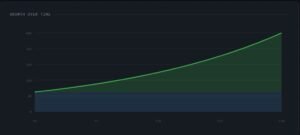
Figure: The free TradingView plan, charting a Canadian ETF. One chart, a couple of indicators, and an ad, which is most of the ceiling.
One honest frame before any features. TradingView is not a broker. You cannot buy an ETF with it. You watch markets, chart them, set alerts, and screen for ideas, then connect your own brokerage separately to actually place a trade. So the real question is not whether it is powerful, it clearly is, but how much of that power someone holding index funds for 25 years will ever touch.
That question has a price attached. The paid tiers a normal investor would even consider run from roughly $240 to $1000 CAD a year on annual billing for Essential and Plus, and a patient index investor can pay the whole thing and use maybe a tenth of it. This is an illustrative range using current advertised pricing, not a quote, and it is worth checking before you sign up for anything. The job of this review is to land you on the tier you actually need, which for a lot of readers is the free one.
This content is for educational purposes only and does not constitute investment advice or platform endorsement.
ETF examples are provided for educational purposes only and are not investment recommendations or endorsements. Comparable products from other providers may exist.
Some links here are affiliate links. Visit full affiliate-disclosure page. If you sign up through them I may earn a small commission at no extra cost to you. I only recommend tools I have actually used or analyzed, and a commission never decides the verdict.
Contents
- What it does well for a Canadian ETF investor
- What TradingView costs in 2026
- What it will not do, and where that matters
- Who needs a paid tier, and who should stay free
- FAQ
What it does well for a Canadian ETF investor
Strip away the day-trading features and there is still a genuinely useful core for a long-term investor. It does cover Canadian markets, so a Toronto Stock Exchange ticker behaves the same as a US one, which is the first thing a Canadian wants to check.
The watchlist and alert combination is the standout. You can build a clean list of the funds you actually hold or are considering, then set a price alert, for example “tell me if this drops 20% from here,” and forget about it until it triggers. For someone whose whole strategy is to buy on a schedule and occasionally add on a dip, that is most of what a market tool needs to do. The charts themselves are the best in the free-to-cheap tier, and the screener is a legitimately good way to compare funds on the data you care about rather than on a marketing page.
Integrations of TradingView with Canadian Brokers
There is also a Canadian-specific wrinkle worth knowing. Questrade is the first Canadian-owned broker to integrate directly with TradingView, so if you already use it, you can connect the two for free, place trades on the TSX, TSX Venture, the CSE, and the US exchanges straight from a TradingView chart, and have those orders show up back in Questrade. That is the concrete Canadian version of the “connect your own broker” idea, a real convenience rather than a reason on its own to pick any particular broker. The trade-from-chart connection only works with brokers that have built the integration, though, and in Canada that currently includes Questrade but not Wealthsimple, so a Wealthsimple user still gets the charts, watchlists, and alerts and simply places trades in the Wealthsimple app as usual. For now, trading from the chart works on TradingView’s web platform, not the desktop or mobile apps.
The free plan does a surprising amount of this. It is limited, and I will be specific about how in the pricing section, but a single clean chart, a watchlist, and a couple of alerts is well within what you can do without paying anything.
ETF examples are provided for educational purposes only and are not investment recommendations or endorsements. Comparable products from other providers may exist. Brokerages are named only to describe TradingView’s integrations, not as recommendations, and this is not investment or platform advice.
What TradingView costs in 2026
TradingView runs a free plan called Basic plus four paid tiers. Annual billing takes roughly 13% to 17% off the monthly rate depending on the tier, and the company runs steep sales a few times a year, with Black Friday discounts that have reached 50% or more, so the list price is rarely the price you have to pay. Prices were raised across the board earlier in 2026, so anything you read from a year ago is probably stale.
TradingView plans, as of late August 2026 (annual-billing rate)
| Plan | Per month (billed annually, CAD) | Charts per tab | Indicators per chart | Active alerts | Notable |
|---|---|---|---|---|---|
| Basic (free) | $0 | 1 | 2 | ~3, and they expire | Ads, delayed data |
| Essential | ~$19.95 | 2 | 5 | 20, expire after ~60 days | No ads |
| Plus | ~$41.95 | 4 | 10 | 100, expire after ~60 days | Value tier for active users |
| Premium | ~$82.95 | 8 | 25 | 400, non-expiring | Alerts that never expire |
| Ultimate | ~$279.92 | 16 | 50 | 1,000, non-expiring | Built for professional desks |
Figures are illustrative and move around, and the amount at checkout can shift with currency, tax, region, and any promotion running. Monthly billing runs higher. Verify the current numbers on TradingView’s own pricing page before subscribing, and check whether a sale is on.
The one paid feature with a real case for a long-term investor is non-expiring alerts, which start at the Premium tier. On the cheaper tiers a price alert expires after about two months and you have to set it up again. If your plan is to set a “notify me if this falls 20%” alert and genuinely forget it for a year, that expiry is the single thing that would nudge you up the ladder. For almost every other reason, the ladder is built for traders, not for you.
One cost the sticker price hides: market data
Here is the part almost no pricing table mentions, and it is exactly the sort of line item worth surfacing on a site about fees. Your subscription buys features and update speed. It does not automatically buy real-time data from every exchange. TradingView is a data aggregator, meaning it pulls quotes from outside feeds rather than generating them, and it says plainly that its paid plans do not cover exchange data fees, even on the top tier. Real-time data for a given exchange is a separate subscription stacked on top of your plan.
For a Canadian, the good news is that this is cheap or free, once you know where you land. US-listed stocks and ETFs stream in real time on every plan, including the free one, through a Cboe feed, so a US-listed fund updates live without paying a cent. Canadian-exchange data is where the delay lives: on the free plan, Toronto-listed quotes come through delayed by around 15 minutes, not the few seconds people assume. If you want them live, the add-on is small, roughly a dollar a month for Cboe Canada and nothing at all for the Canadian Securities Exchange, with the Toronto Stock Exchange feed itself worth checking at signup, since exchange rates change.
Does the TradingView data delay matter for long-term investors?
And here is the part that decides how you will actually use it: if you buy a fund once a month, a 15-minute delay is irrelevant. You are not timing a tick. For a buy-and-hold investor, the free delayed feed is genuinely fine, and the real-time add-on is a cost you can almost always skip.
One more honest note while you are on the checkout page. TradingView has drawn a fair number of user complaints about auto-renewal, and upgrades, monthly plans, and data subscriptions are generally non-refundable, so it is worth setting a calendar reminder before an annual plan renews rather than assuming you can claw the money back afterward.
What it will not do, and where that matters
This is the part a fee-focused reader should sit with, because it is the honest boundary of the tool.
Go back to that bond ETF from the start of this review. TradingView is genuinely good for the moment before you buy, the chart, the spread, the price you are deciding to pay. Where it goes quiet is everything after you own the fund. It does not track your fees, and it does not show your true return after fees. TradingView will happily chart a fund’s price, but will not tell you what that fund’s MER, the management expense ratio, or the slice of your money the fund keeps every year, has quietly cost you, and it will not add up what you actually kept once fees, dividends, and currency are counted. It also does not do Canadian tax reporting.
What Question Does TradingView Answers?
That is not a flaw, it is a category. TradingView answers “what is the market doing.” It leaves “what did my money actually earn after costs” completely untouched. Those are two different jobs, and on a site about fees, the second one is the one that decides your outcome.
So the honest setup is to let each tool do its half. Watch the market with a free TradingView watchlist, and measure what you kept with a dedicated portfolio tracker, the kind that reports your return after fees and handles the dividend and tax side. I went through which Canadian trackers actually do that, and where the popular US tool leaves Canadians stranded, in a separate piece on Empower-alternative / Sharesight article. Pairing a free watchlist with a proper tracker covers both halves without overpaying for either.
Who needs a paid tier, and who should stay free
Here is the plain read, sorted by the kind of investor you actually are.
If you buy one or two all-in-one ETFs on a schedule and rarely look, you do not need a paid tier, and you may not need much of TradingView at all beyond a free watchlist and a couple of alerts. If you like to do a little research before you add to a position, compare a few funds, and keep an eye on a handful of holdings, the free plan or Essential covers it comfortably. The only common long-term reason to climb to Premium is non-expiring alerts, and only if you genuinely set price levels and want to forget them for a year. That is the one upgrade with an honest case for a buy-and-hold investor.
Plus, the heavier Premium features, and Ultimate are built for active traders who live in several charts at once, run stacks of indicators, and need deep historical data for backtesting. That is a real audience, and TradingView serves it well. It is just not the passive-ETF audience, and paying trader prices for an investor’s workflow is the most common way people overspend here.
So the sensible path is a boring one, and it is the same path most honest reviewers land on. Start on the free plan, use it until a specific limit is actually costing you something, and only then upgrade to the tier that fixes that exact limit. If you do want to try a paid tier, the 30-day free trial is the way to test it before a full year lands on your card. You can start the free plan, or a trial, on TradingView’s plans page, then let your own use, not a review, decide whether you ever pay.
ETF examples are provided for educational purposes only and are not investment recommendations or endorsements. Comparable products from other providers may exist.
FAQ
Maybe not, and that is a fair place to start. If your broker’s charts and price alerts already do what you need, TradingView is optional. The reasons to add it are a cleaner watchlist that spans the funds you hold and the ones you are only watching, better and more flexible alerts, and a screener for comparing funds on the numbers rather than the marketing. It is also not a broker, so it does not replace your trading account, it sits beside it. If none of those extras solve a problem you actually have, you can skip it with a clear conscience.
For most buy-and-hold investors, the free plan is enough. A single chart, a watchlist, and a couple of alerts covers the real job, and Canadian market data is included. The limits that push people to pay are the small number of alerts and the fact that they expire, plus the single-chart view, and those bite active traders far more than someone buying a fund once a month. If you set price alerts and forget them for months at a time, that is the one free-plan limit you may feel.
On the free plan, US-listed stocks and ETFs already stream in real time, but Canadian-exchange quotes come through delayed by around 15 minutes. Real-time data straight from an exchange is a separate subscription your plan does not include, no matter which tier you are on. The Canadian add-on is small, though, roughly a dollar a month for some feeds and free for others, and for someone buying on a schedule that delay does not matter, so you almost certainly never need it. If you connect a Canadian broker like Questrade, check what that connection already gives you before buying a data add-on.
Non-expiring alerts, and little else. On the free and cheaper tiers a price alert expires after about two months and you have to recreate it, while the Premium tier lets an alert sit untouched for a year or more. If your whole use is “tell me if this drops to X and then leave me alone,” that is the one upgrade with an honest case. Everything above it is built for active traders, not for you.
Use the 30-day free trial first, because that is the honest way to find out before committing. If you do subscribe, know that plans auto-renew, and that upgrades, monthly plans, and data subscriptions are generally non-refundable, so you cannot count on clawing the money back after a renewal. Set a calendar reminder a few days before your renewal date, and cancel then if it has not earned its place.
The one thing to take away
Here is the whole review on a sticky note. TradingView is the tool for the moment before you buy, the chart, the spread, the price you are deciding to pay, and it goes silent the moment you own the fund. It shows you the market. It never shows you what that fund is quietly costing you to hold, and that second number, your return after fees, is the one that decides how you actually do over thirty years.
So most passive Canadian investors can stay on the free plan and lose nothing, then measure what they kept with a proper tracker instead. Watch the market with one tool, measure your real return with another, and when you want to know what a fee actually costs you over decades, run the math yourself with my investment growth calculator rather than trusting a headline. I break down how MER, the management expense ratio, quietly eats into your returns in this guide. The point was never which subscription to buy. It was leaving here able to see where your money actually goes.
Datasavvyfinance provides educational information only and does not provide financial, investment, legal, or tax advice. Content is not tailored to any individual. Investing involves risk, including loss of principal. Past performance does not guarantee future results.